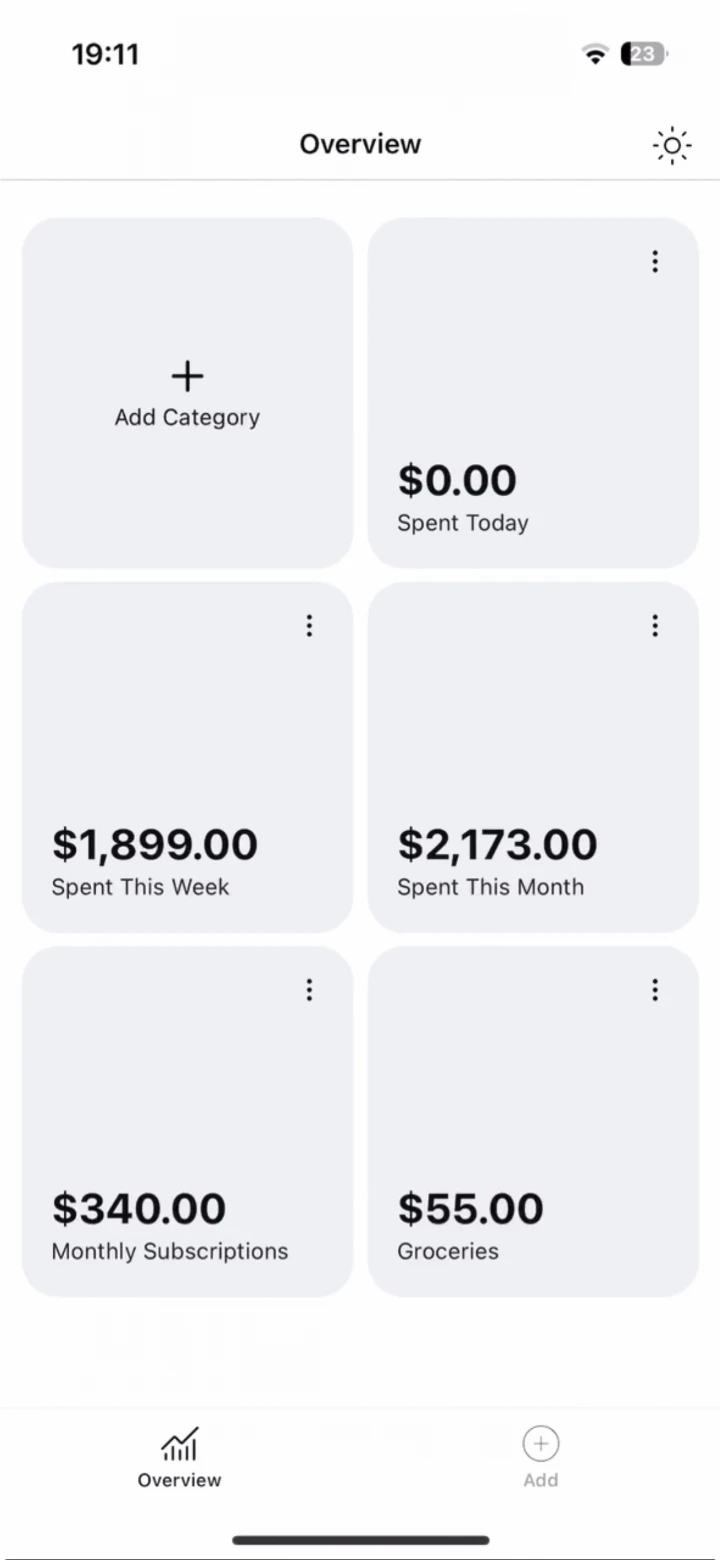
Dashboard
See where your money goes.
Your dashboard breaks spending down by category, so you always know where it went.
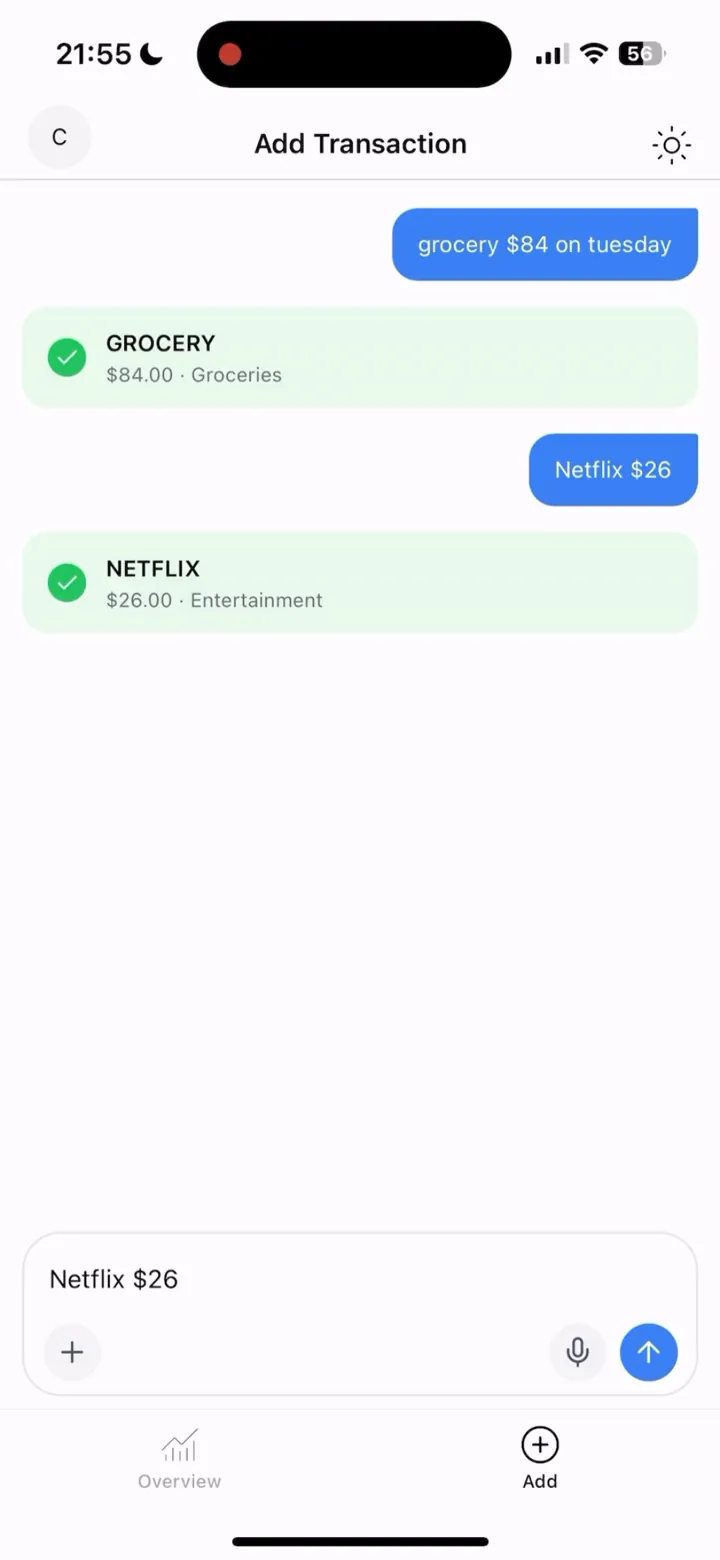
Say “groceries, $84” and Cagni files it in seconds. No subscription, no bank login, and your transactions live on your phone.

Free for your first 6 transactions
Scan with your iPhone camera to download.
How it works
Get Cagni from the App Store. No account, no bank login.
Say it or type it, like “Lunch with Sam, $18.”
Cagni pulls out the amount and category and saves it on your phone.
Why Cagni
| Compared on | Cagni | Typical budgeting apps |
|---|---|---|
| Price | Once | Monthly, forever |
| Bank login | No | Usually |
| Where your data lives | Your phone | Their servers |
| Account required | No | Usually |
| Log by voice | Yes | Rarely |
Logging it yourself takes seconds, and it keeps you aware of every dollar.
Dashboard
Your dashboard breaks spending down by category, so you always know where it went.
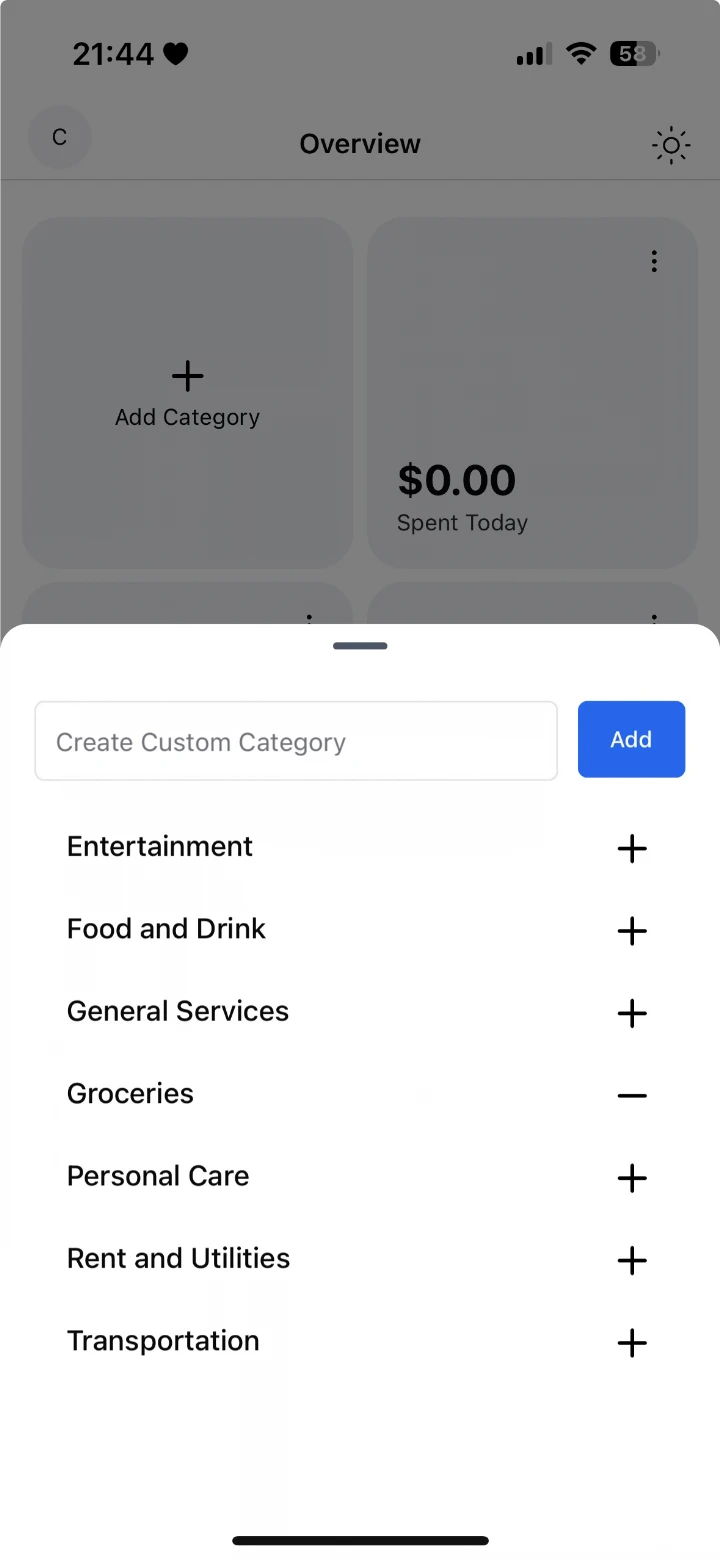
Categories
Cagni puts every expense in a category for you. Create your own custom categories for anything else.
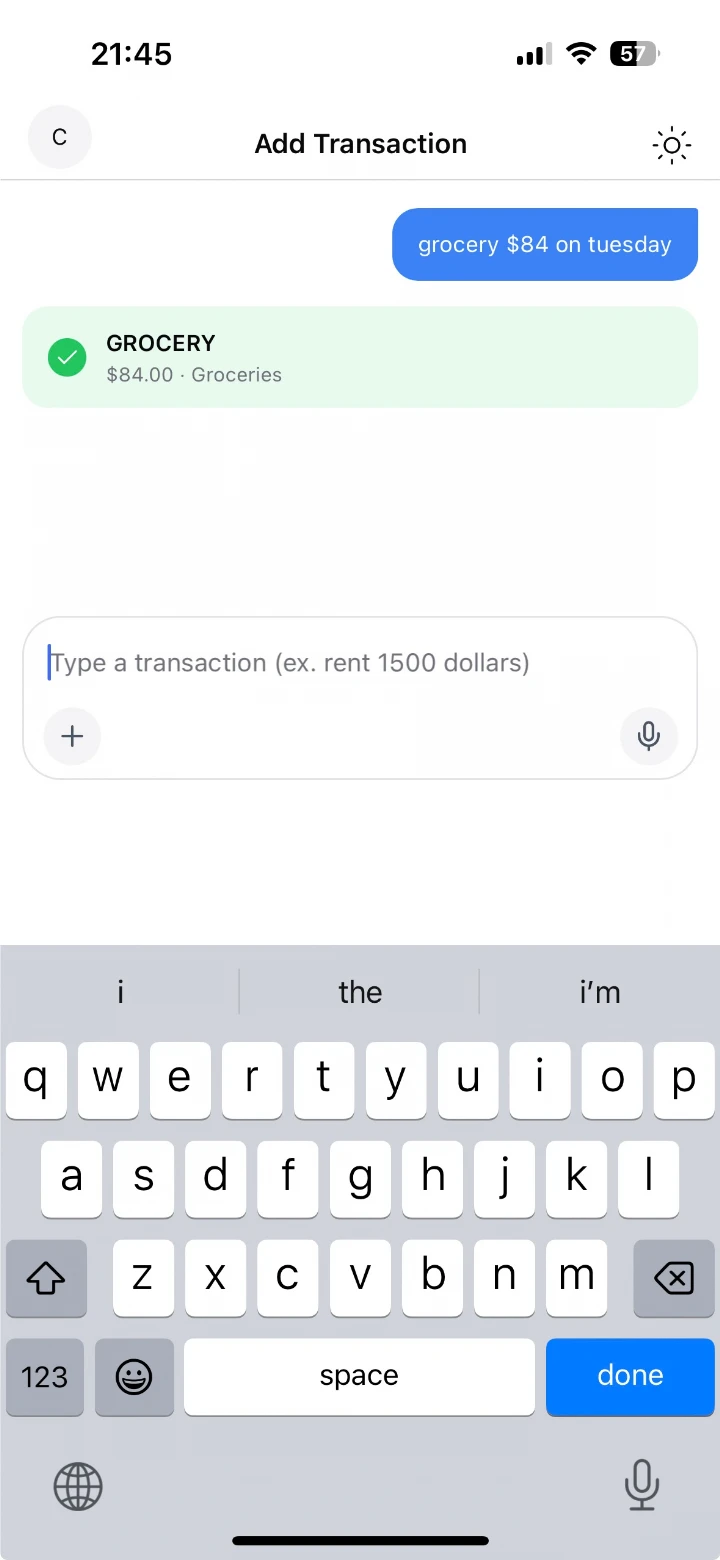
Your way
Talk when you can, type when you can’t. Manual entry is always there when you want full control.
Pricing
$0
Your first 6 transactions.
Try Cagni with your real spending first.
CA$69.99once
A $10/month app costs $360 over three years. Cagni costs CA$69.99, once.
Free for your first 6 transactions

In 2023 I was $57,000 in credit card debt, and every budgeting app I tried felt too complicated. So I built Cagni to show me exactly how much I’d spent today, this week, and this month. I paid off the debt in under two years, and I still check it every day before I buy anything.
FAQ

Free for your first 6 transactions
Scan with your iPhone camera to download.
Cagni
Free for your first 6 transactions